
Companies using 1C and other systems
For regularly copying databases on supported engines and selected file directories. The source type is chosen according to how the data is actually stored.
SQL database and file backups with S3 cloud storage, scheduling, encryption and notifications.
KazBackup helps make backups a managed process: choose databases and files, set a schedule, select storage and track execution. It combines an administrator interface with a Windows background service that runs jobs even when no interactive user session is open.
Organise regular backups across different databases and files, with visibility into task execution.
A Windows application and background service combine data sources, schedules, storage profiles and notifications in a single interface.
Product websiteScreenshots of the Russian interface. Appearance depends on the version and settings.
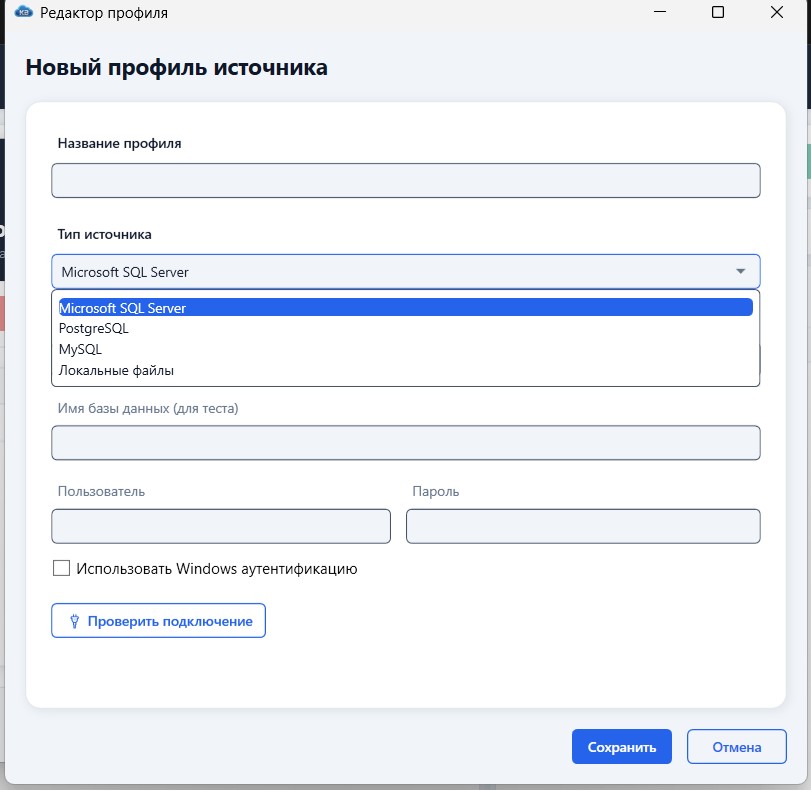
For regularly copying databases on supported engines and selected file directories. The source type is chosen according to how the data is actually stored.
For central management of schedules, connection and storage profiles, execution history and diagnosis of unsuccessful runs.
For maintaining multiple tasks, reusing settings and receiving result notifications without continuously watching the interface.
Microsoft SQL Server supports full, differential and transaction log backups. PostgreSQL uses pg_dump; MySQL sources and archiving of selected files and folders are also supported.
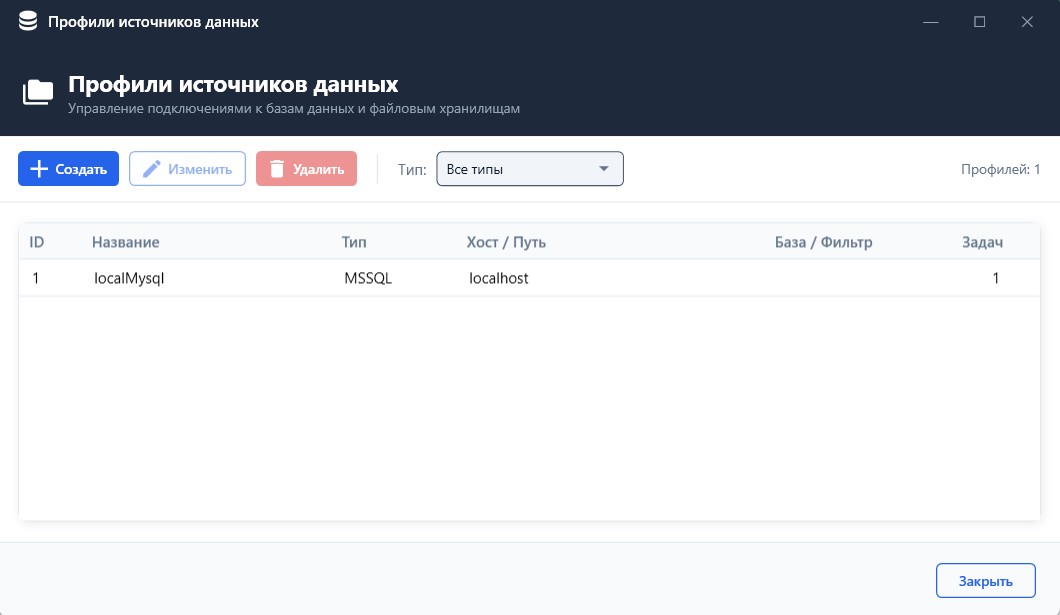
Copies can be saved to local or network drives, transferred over FTP/SFTP or uploaded to Google Drive. Profiles can be reused across tasks; large files can be split into parts for remote transfer.
Cron schedules specify when each task runs. Retention policies define the number of days after which older copies are automatically removed. This provides control over execution frequency and the accumulated archive.
A service handles task execution. Users do not need to keep the application window open or log in for each run. Service permissions must allow access to the selected sources and storage destinations.
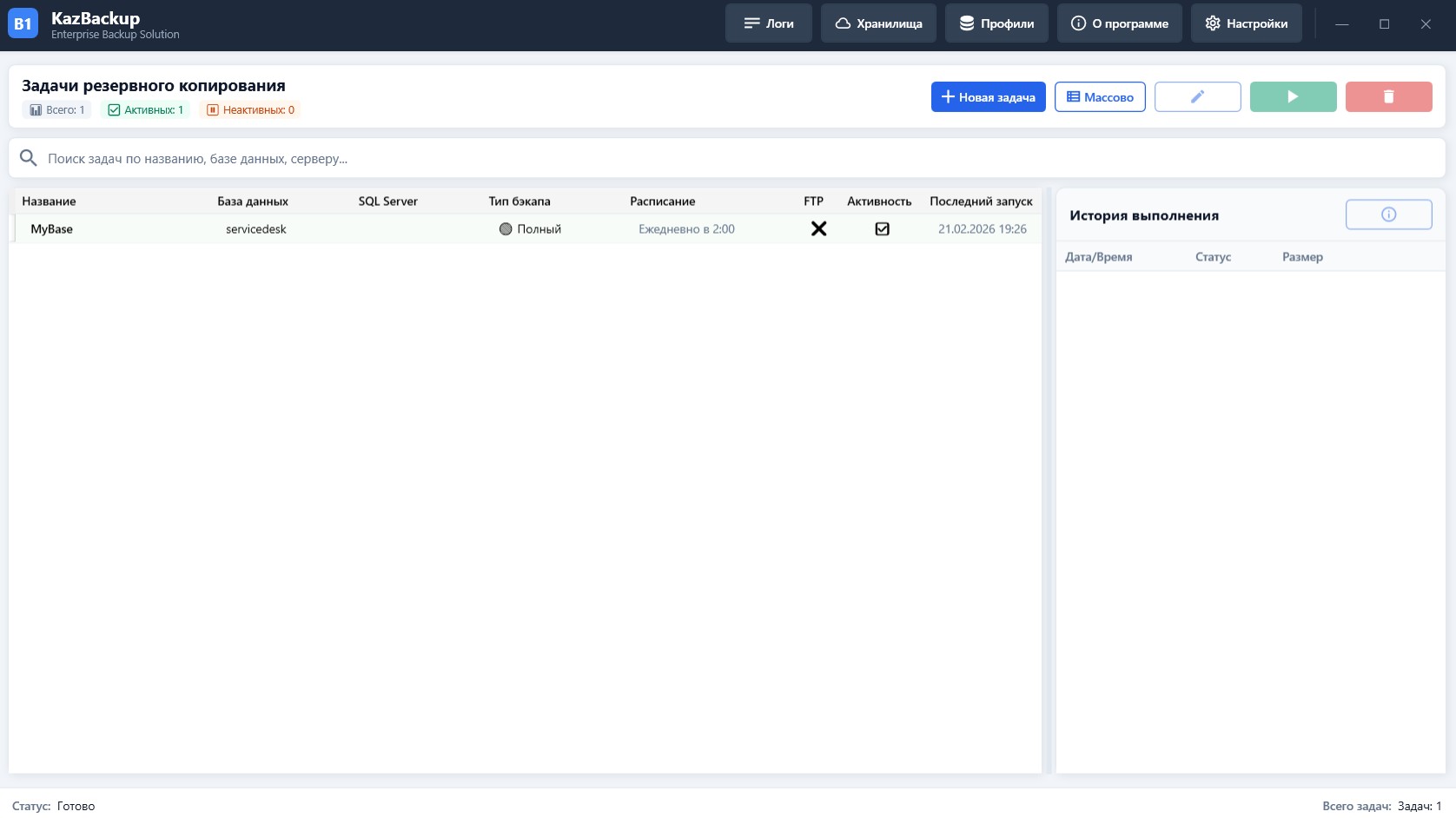
Tasks show results, execution time and file size. Logs contain events and errors for diagnosis. Success or failure notifications are sent through the configured Telegram profile.
The dashboard shows all, active and inactive tasks. Administrators can create, edit, bulk-add and manually run tasks, and search by task name, database or server. Source profiles avoid repeatedly entering the same settings.
The KazBackup website offers plans with included S3-compatible storage. Google Drive, FTP/SFTP and local and network drives are available alongside cloud storage. Capacity and cloud storage terms depend on the selected plan.
Capabilities include multithreaded ZIP/7z processing, AES-256 archive encryption and Microsoft SQL Server’s built-in compression. Splitting large files into parts helps organise transfers to remote storage.
The product website describes archive validation, checksums, test restoration and a restore command in the interface. Availability for a particular source and version is checked during setup; a successful backup job alone does not replace a restoration test.
Select a database engine and database, or a file folder. For SQL Server, choose the appropriate backup type and authentication method.
Select local, network or remote storage and a retention period. Reuse a shared profile across tasks where appropriate.
Configure Cron execution and notifications, then run the task manually to check the settings. The background service continues according to the schedule.
Review history and notifications, and investigate errors using logs. Separately test restoration from the copies in an appropriate test environment.
The application is designed for Windows and built with C#/.NET and a WPF interface. The scheduler runs as part of a background service. Database, network directory and external storage connections require suitable permissions and resource availability. The application stores connection passwords in encrypted form.
Setup requires a list of databases and folders, database engine versions, data volumes, suitable backup windows, destinations and retention periods. A successful task means a copy was created; it does not replace a restoration test. For file-based databases and open files, the method of obtaining a consistent copy must account for how the source system operates.
15 000 ₸ per month
25 000 ₸ per month
On request
Prices published on the KazBackup website, checked on 7 September 2026. Product scope, storage capacity and support terms are confirmed before ordering. More on the product website ↗
No. A Windows service runs background tasks. It must be running and have permission to access the required databases, folders and storage destinations.
Yes. Network drives, FTP/SFTP and Google Drive are supported. Destination availability and access are checked during task configuration.
The KazBackup website lists restoration through the interface, integrity checks and test restoration. Standard backup formats also allow use of the relevant database engine’s tools. Supported operations depend on source and version; restoration testing is included in backup setup.
Fuel and LPG station management, fuel cards, 1C integration and tank monitoring. A customer app for iOS and Android, plus a web portal.
Inventory, goods receiving and order picking on Android, with direct 1C integration and offline operation.
Tell us about your workflow and what you want to improve.